
Free Chrome extension
SynthID Detector.
Right-click to check.
SynthID Detector is a free, independent Chrome extension that checks web images for Google SynthID watermarks through synthid.com. A missing watermark does not prove that an image is human-made.
Product details: Chrome Web Store listing
Requires synthid.com sign-in.
Selected images are uploaded to Google for checking.

Example of a detected-watermark result.
How it works
Check an image
in three steps.
You don’t need to save the file and upload it in another tab. Select an image, start a check, and read the result on the page.
Pick an image.
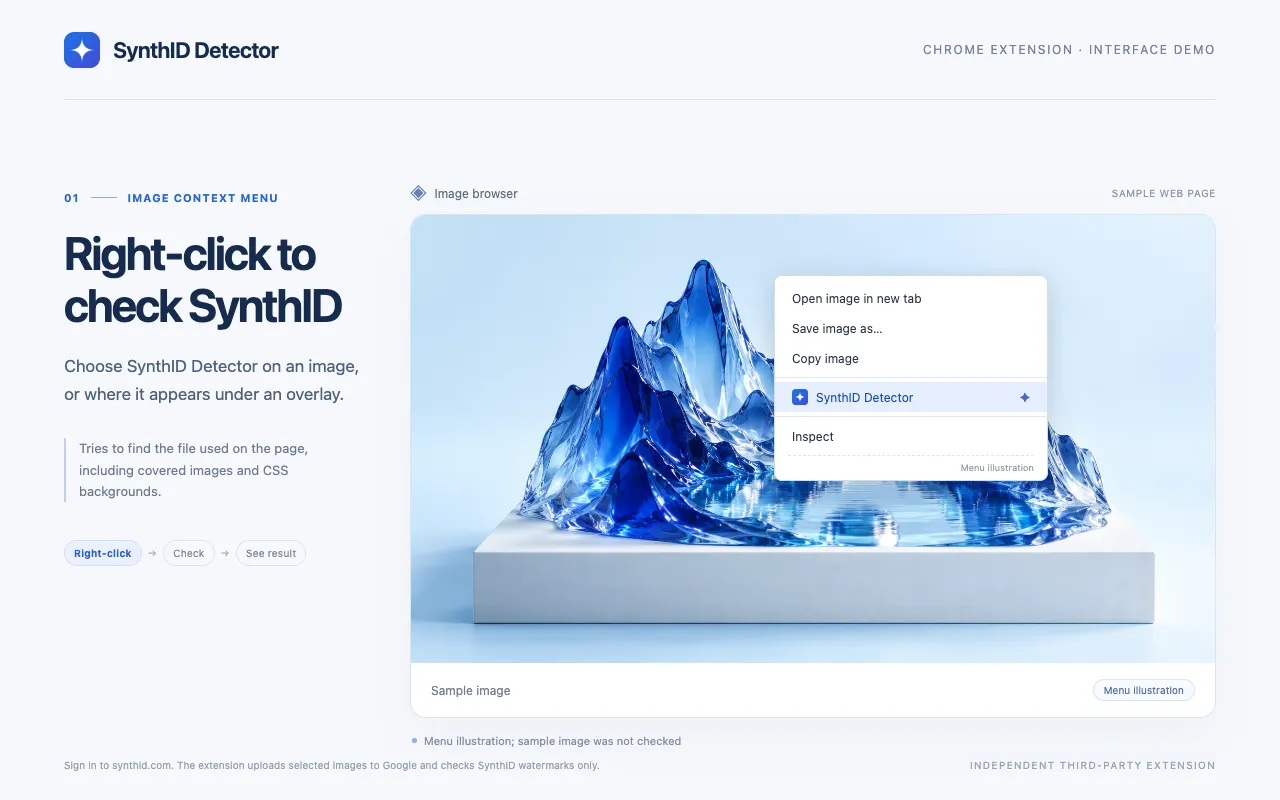
Right-click an image and choose SynthID Detector. It looks for the original file, even behind common overlays.
Send it to synthid.com.
The selected image goes to synthid.com using your existing signed-in Chrome session.
Read the result.
A result card appears beside the image and explains what the result means. You stay on the page.
Right-click menu
Check the image
you’re looking at.
Right-click it and choose SynthID Detector. The extension tries to find the original file, including images beneath overlays and CSS backgrounds.
- No manual image download
- Results beside the source
- Clear prompts when sign-in is needed
When right-click isn’t enough
Select an area
and confirm
before it’s sent.
Open selection mode from the toolbar or press Alt + Shift + D. Click an accessible image, or drag over a visible area.
For an area check, only the cropped screenshot goes to synthid.com.
Explore selection mode
A sample of the result card you would see beside your selection.
Visual demo only. No image is uploaded or checked.
Prefer the original image. Small screenshots may weaken the watermark signal.
Check images
on Instagram.
SynthID Detector can look for a watermark on visible Instagram images in Chrome. The IG SynthID Detector guide covers overlays, selections, and what the result can tell you.
Read the Instagram guideChecks SynthID watermarks. Image access varies by page.
Read the result with care
What each result means.
SynthID is an invisible watermark used by participating AI systems. The extension displays the result supplied by synthid.com.
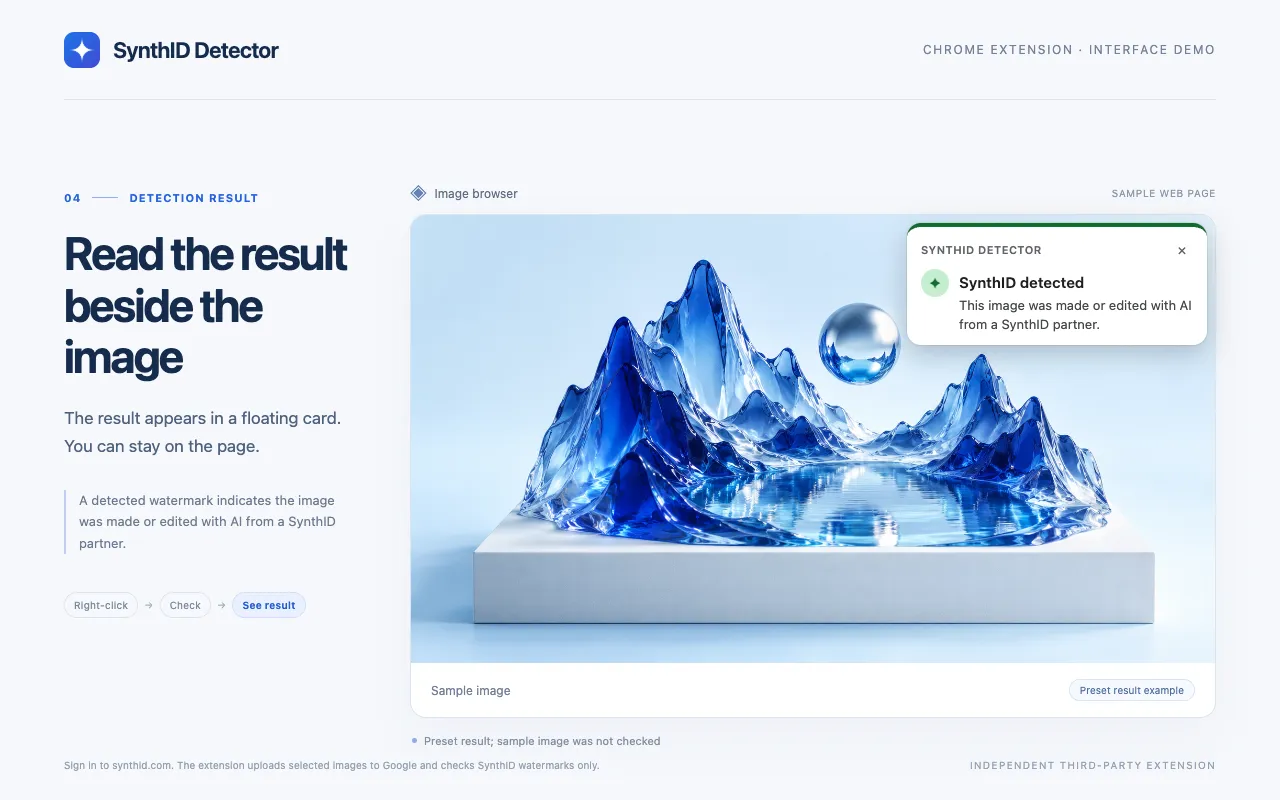
SynthID detected
A signal of AI generation or editing from a SynthID partner. Confidence is shown when the service provides it.
SynthID not detected
No watermark was found. The image could still have been made with AI.
Inconclusive or possible editing
Some checks do not give a clear conclusion. Read the service’s explanation before drawing one.
About the watermark: Google SynthID overview
FAQ
Common questions.
Short answers about where your image goes and how to read a result.
Read the privacy policyWhat is SynthID Detector?
SynthID Detector is an independent Chrome extension that checks a selected web image for a Google SynthID watermark through synthid.com. The service’s result appears in a card beside the image.
Link to this answerIs this a free SynthID Detector?
Yes. The Chrome extension is free to install. Checks require signing in to synthid.com and use your account’s available quota. Service availability and limits still apply.
Link to this answerCan it tell whether any image was made with AI?
It checks specifically for SynthID watermarks. A detected watermark is a signal of AI use from a SynthID partner. A missing watermark does not prove that an image is human-made, and the result may be inconclusive.
Link to this answerCan I use it on Instagram?
You can try checking visible Instagram images in Chrome with the right-click menu or selection mode. Access depends on the image and page. The Instagram guide explains covered images, screenshot checks, and the limits of using it as an IG AI Detector.
Link to this answerWhere does my selected image go?
The chosen image or confirmed screenshot region is uploaded to Google’s synthid.com service through your signed-in browser session. The extension has no developer-operated upload server, analytics, or advertising code. Read the privacy policy for the full details.
Link to this answerDo I need a Google account?
You need to sign in to synthid.com with your Google account in the same Chrome profile. You sign in on synthid.com itself; you never enter your Google password into the extension.
Link to this answerWhich languages does the extension support?
The extension follows your Chrome interface language and supports English, Simplified Chinese, Spanish, Brazilian Portuguese, and French. Other languages fall back to English. The language switcher on this website changes the website only.
Link to this answerGet the extension
Add SynthID Detector
to Chrome.
The extension is free to install.
synthid.com sign-in required. Image uploads and service quotas apply.